 // Knife sharpening angle meter
Know the exact angle while you sharpen.
Lay the phone on the blade. AoK reads the angle between the blade and the stone in real time, beeps the moment you hit your target, and keeps every knife — its angle, its steel, its sharpening history — in one log.


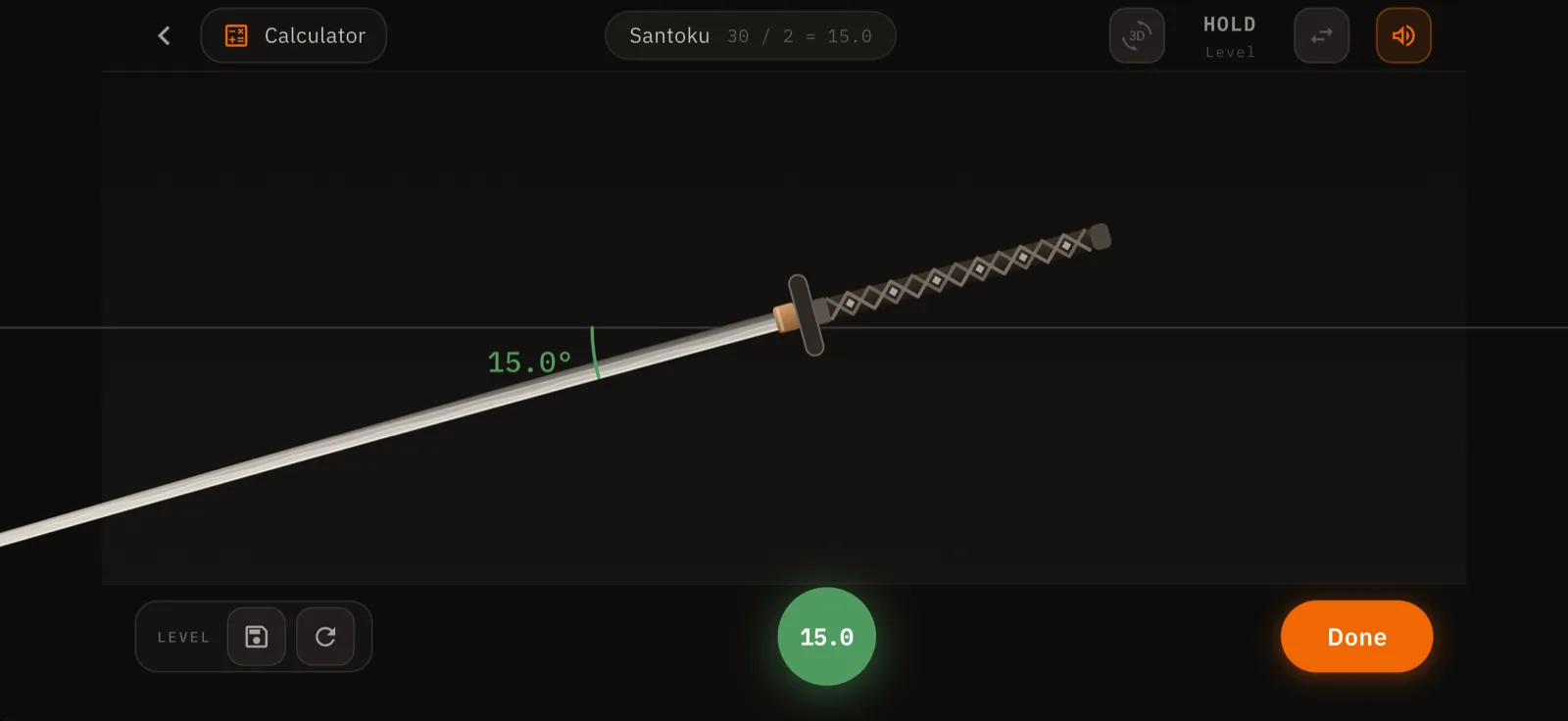
Four steps to a sharp edge
No bench, no jig, no guesswork — the angle is on the screen the whole time.
Open quick sharpening
Start from the main screen without adding a knife first, or pick one from your log.
Set the target angle
Type it in or take the preset for your knife type. For a double-sided edge the app aims at half the angle for you.
Lay the phone on the blade
The meter shows the live angle as you move the blade along the stone.
Sharpen by ear
The app beeps and turns green on target, so your eyes stay on the edge. When you're done, the session goes into the knife's history.
Everything the sharpening needs
Live angle meter
Lay the phone on the blade and read the exact sharpening angle, updated as you move. Whetstone, guided jig, belt sharpener or bench grinder — and an axe, a chisel or a plane iron just as well.
Audio guide
Set a target angle and the app beeps the moment the blade sits right, so you never look away from the edge to check a number.
Gap calculator
No jig? Enter the blade width and the angle you want: the app shows how high to lift the spine above the stone, in millimetres, and how many coins will hold it there.
Steel guide and care tips
Pick the steel grade written on the blade. The guide gives its hardness, edge retention, toughness, rust resistance and how easy it is to sharpen — plus how to look after that exact steel, and what your edge is good for at your angle.
No stone? A mug will do
A step-by-step guide to sharpening on the unglazed ring of a ceramic mug: which mug works, what angle to hold, how to move the blade, how long per side and how to strip the burr. For a straight edge — serrated knives need another tool.
Knife log and reminders
Every knife with its angle, steel and photos; every session in its history. The app reminds you when a knife is due for sharpening.
Inside the app
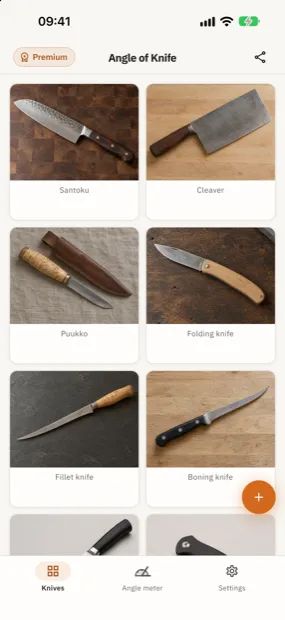
Your knives, with photos
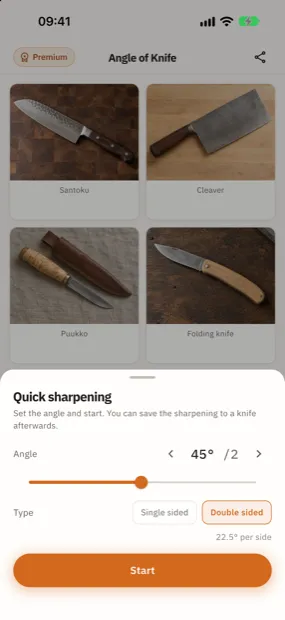
Quick sharpening, no setup
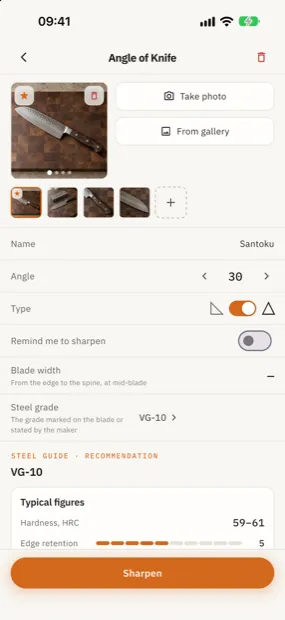
A passport for every knife
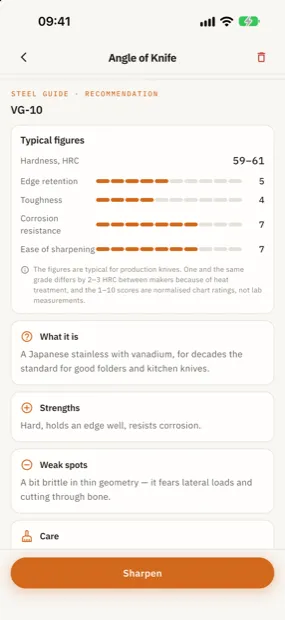
What your steel likes
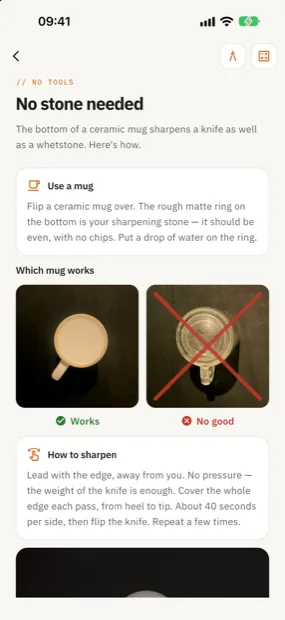
No stone? A mug works
Any blade, any tool
Concept to both stores
Context
The MordanSoft flagship product. Other angle-meter apps stop at the reading; the sharpening loop — target, guide, steel, log — was left to a spreadsheet or to memory.
What we did
Design, Flutter implementation, the sensor-fusion angle engine, the audio guide, the steel guide, the knife log, the Free/Premium split with a new purchase screen, twelve-language localisation, phone and tablet layouts, and the Google Play + App Store releases.
Numbers
Live on Google Play and the App Store, in twelve languages, on phone and tablet. Measurement of the Free/Premium split is in progress.
Stack
Measure. Match. Sharpen.
AoK works offline, keeps every blade on your phone, and does not ask for an account.